Activating the VDE Python Environment
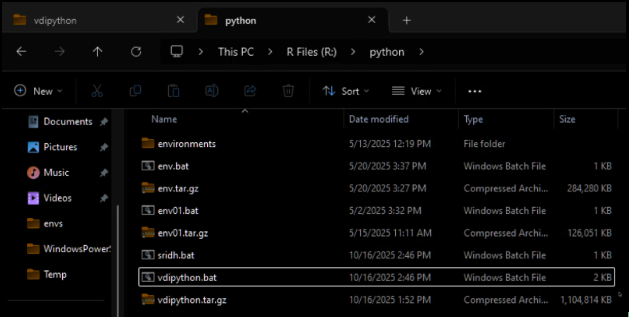
1) In the VDE, Open Windows Explorer and navigate to R:\python\
2) Double-click the file vdipython.bat
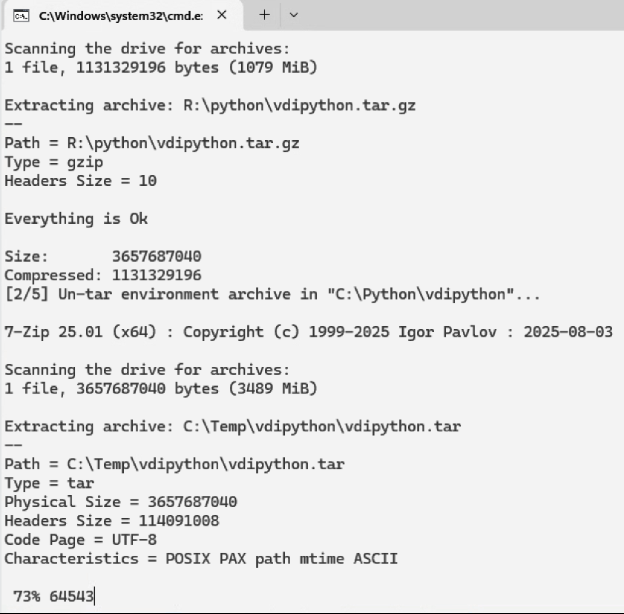
3) Wait about 5 minutes for the environment to unpack. There should be a command prompt in the foreground showing the status:
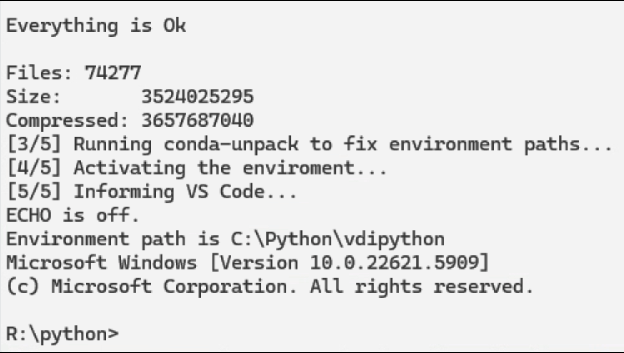
4) If the process succeeds, you will see a message like the following:
5) Open Visual Studio Code.
The environment you extracted should already be available for use in VS Code.
If it is not, please do the following:
a) Press Control+Shift+P to access VS Code’s command palette.
b) Type Python: Select Interpreter and choose the option.
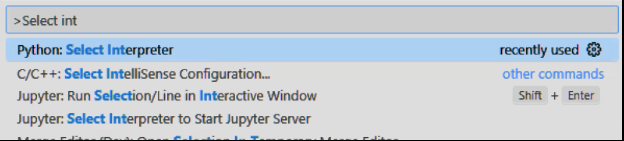
c) Select C:\\Python\\vdipython\\python.exe if you see it as an option. Otherwise, choose Enter interpreter path…
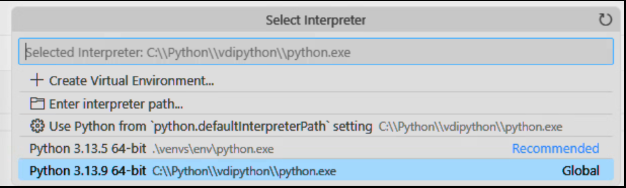
Python should now be available with some of the most commonly used packages.
If you’d like to request additional packages, please email us at [email protected]. All packages will need to undergo a security review before they can be added.